


 Posts
Posts


Saturday, August 19, 2006
Get this Blog Emailed To You
If you are like me, I keep forgetting to check pages like this. If you would like the articles emailed to you, you can subscribe here http://www.feedblitz.com/f/?Sub=89203


Putting Your Genealogy On The Web
One of the best ways of getting more information is put your info online. People really do love to sharing, trading or request more information. Just remember, don’t share or put living names online, someone put a living family members online.
The 2 easiest free ways of putting your genealogy online are http://worldconnect.rootsweb.com/, and http://www.gencircles.com/. All it takes is uploading your gedcom. I don’t get many people contacting me on these, but I do a lot of sharing with others there.
What has worked best for me is making my own website. This isn’t as hard as it sounds, most genealogy programs will make very nice webpages. All you need to do is find a server (place to put your webpages). A lot of the times your Internet Provider will give you webspace as part of your service. Another option is find a Web Hosting Provider, you will want to make sure it allows FTP (file transfer protocol) because you will need to upload your webpage. RootsWeb does offer Freepages http://accounts.rootsweb.com/, but I haven’t tried it so I don’t know the limits. I found this with interesting links http://www.freecenter.com/homepages.html but not all the ones that offer FTP include it on the free package. Just remember those companies have to pay for those free services, so that means advertising or spam. I do use a pay Web Hosting Provider for $62.88 a year and that includes the domain name, and it has more space & bandwidth than I would ever use. Just something to think about.
For the beginner you will probably want a WYSIWYG webpage program & a FTP program (Windows Explorer will work), there are plenty of free ones on the web. I kind of like Mozilla Suite for tweaking html webpages, but a lot of Word Processors do html editing. Finally I would suggest a “Dummy Book”, there are ones for about anything you can think of.
I’ve got it online how do I get it in the search engines? You can add your website to Google here http://www.google.com/addurl/. MSN site submit is here http://search.msn.com/docs/default.aspx?FORM=HLRE2. Yahoo is here http://search.yahoo.com/info/submit.html & click “submit your site for free”. I’ve never tried it but there are things called “webrings”. One family member uses GenRing http://c.webring.com/hub?ring=genring for an example. Just experiment with the others & don’t think you need have to pay to get noticed.
One drawback to a website is spammers looking for email addresses on websites. Probably the best is make a graphic out of your email address or I have seen people change me@mydomain.com to “me # mydomain dot com” & tell people to change # to @ and dot to period. I do recommend a separate email address for your website, that way the spammers won’t bother you on your personal email address.
If you feel like a small challenge I like PHPGedView http://www.phpgedview.net/ the only cost is the programmers would like a donation to keep the project going. It makes VERY impressive webpages but it is all done online & your server has to support PHP, MySQL will make it run a little better but not mandatory. All you do is upload the files, the hard part is doing the settings (I know nothing about PHP & was able to do it). You can enter everything online or just upload your gedcom & it does the rest.
I hate to write a novel so if you have any questions please post a comment.
Dennis
The 2 easiest free ways of putting your genealogy online are http://worldconnect.rootsweb.com/, and http://www.gencircles.com/. All it takes is uploading your gedcom. I don’t get many people contacting me on these, but I do a lot of sharing with others there.
What has worked best for me is making my own website. This isn’t as hard as it sounds, most genealogy programs will make very nice webpages. All you need to do is find a server (place to put your webpages). A lot of the times your Internet Provider will give you webspace as part of your service. Another option is find a Web Hosting Provider, you will want to make sure it allows FTP (file transfer protocol) because you will need to upload your webpage. RootsWeb does offer Freepages http://accounts.rootsweb.com/, but I haven’t tried it so I don’t know the limits. I found this with interesting links http://www.freecenter.com/homepages.html but not all the ones that offer FTP include it on the free package. Just remember those companies have to pay for those free services, so that means advertising or spam. I do use a pay Web Hosting Provider for $62.88 a year and that includes the domain name, and it has more space & bandwidth than I would ever use. Just something to think about.
For the beginner you will probably want a WYSIWYG webpage program & a FTP program (Windows Explorer will work), there are plenty of free ones on the web. I kind of like Mozilla Suite for tweaking html webpages, but a lot of Word Processors do html editing. Finally I would suggest a “Dummy Book”, there are ones for about anything you can think of.
I’ve got it online how do I get it in the search engines? You can add your website to Google here http://www.google.com/addurl/. MSN site submit is here http://search.msn.com/docs/default.aspx?FORM=HLRE2. Yahoo is here http://search.yahoo.com/info/submit.html & click “submit your site for free”. I’ve never tried it but there are things called “webrings”. One family member uses GenRing http://c.webring.com/hub?ring=genring for an example. Just experiment with the others & don’t think you need have to pay to get noticed.
One drawback to a website is spammers looking for email addresses on websites. Probably the best is make a graphic out of your email address or I have seen people change me@mydomain.com to “me # mydomain dot com” & tell people to change # to @ and dot to period. I do recommend a separate email address for your website, that way the spammers won’t bother you on your personal email address.
If you feel like a small challenge I like PHPGedView http://www.phpgedview.net/ the only cost is the programmers would like a donation to keep the project going. It makes VERY impressive webpages but it is all done online & your server has to support PHP, MySQL will make it run a little better but not mandatory. All you do is upload the files, the hard part is doing the settings (I know nothing about PHP & was able to do it). You can enter everything online or just upload your gedcom & it does the rest.
I hate to write a novel so if you have any questions please post a comment.
Dennis
Tuesday, August 08, 2006
Site Search
Many times when I am searching the web I want to find out what one website has on just one name but they don't have a way to search their site. One of my favorite ways is the "Google Tool Bar" http://toolbar.google.com/ . It will add an extra tool bar on your browser but has some nice feature, my favorite is "Site Search". When you are on a website and you want to see if they have more info you want. You just type what you want in the search field and then there is a little triangle next to the search button, click it and you will see "Current Site", click it and you will just get what is on that website. Site Search on Google Tool Bar has one problem, on free & personal website without their own domain name or large websites with a bunch smaller areas in it, Google Tool Bar will search EVERYTHING in that website.
Here is a manual way to do a Site Search, in a search engine type "site:" followed by the website & key word. Example for all the Chapmans in Conejos Co. Colorado on USGenweb <http://www.rootsweb.com/~coconejo/>. Since Conejos Co. is found on rootsweb in the coconejo directory it will look like this: site:rootsweb.com coconejo chapman. This will work on most search engine as long as the website has spidered (read by the search engine). Try it on a multi search engine, it could increase your chances of finding something.
Dennis
Here is a manual way to do a Site Search, in a search engine type "site:" followed by the website & key word. Example for all the Chapmans in Conejos Co. Colorado on USGenweb <http://www.rootsweb.com/~coconejo/>. Since Conejos Co. is found on rootsweb in the coconejo directory it will look like this: site:rootsweb.com coconejo chapman. This will work on most search engine as long as the website has spidered (read by the search engine). Try it on a multi search engine, it could increase your chances of finding something.
Dennis
Friday, June 23, 2006
Colorado Historical Societies
Colorado Historical Societies has some very interesting links on this page
http://www.history.state.co.us/chs_Library/research_collections.htm .
I really enjoyed the Colorado’s Historic Newspaper Collection http://www.cdpheritage.org/ . You are given an option for dialup or broadband speed, kind of slow at dialup but worth it. You can search by County map, browse or search by newspaper & date. If you use the map it will tell you what papers are available in that county, then you have “Browse All” lets you chose a specific newspaper & date, and finally “Search All” you can use a keywords & you can limits your search to dates & newspapers.
I really enjoyed the Colorado’s Historic Newspaper Collection http://www.cdpheritage.org/ . You are given an option for dialup or broadband speed, kind of slow at dialup but worth it. You can search by County map, browse or search by newspaper & date. If you use the map it will tell you what papers are available in that county, then you have “Browse All” lets you chose a specific newspaper & date, and finally “Search All” you can use a keywords & you can limits your search to dates & newspapers.
http://photoswest.org has a collection of old photos, might be worth taking a look at. A lot of photos maybe you will find a little gem.
Saturday, June 17, 2006
Google Alerts
How would you like Google to tell you about new websites that have topics that you are interested in? I had signed up for Google alerts http://www.google.com/alerts . I entered quartzsite genealogy & got a bunch of hits that nothing to do with what I was looking for. But when I change my search to something that would limit my hits, +quartzsite +genealogy, I was surprised what I got, someone had linked my Blog. Just think, what if you are looking for John Doe in Elk City, Oklahoma, you could enter +Doe +“Elk City” +Oklahoma. Now when Google finds a site that mentions Doe, Elk City & Oklahoma they will email you a link to the site. See http://quartzsitegen.blogspot.com/2006/03/using-search-engines-to-look-for.html for tips on limiting search engine results.
Friday, June 16, 2006
Alaska's Digital Archives
Alaska has a nice easy to use digital archive http://vilda.alaska.edu/ . I cheated & used a name that would pop up, I was quite surprised to see some new pictures & documents I have never seen before. One nice thing is the documents can be viewed as actual images or html text. I was able use the "CTRL F" hot key in the html text to find the name I wanted, then go to the images & pages I wanted.
Alabama Department of Archives & History
Alabama has some very interesting info. In the "For Genealogists & Historians" area. I really enjoyed the "Databases of newspapers, maps, photos" http://www.archives.state.al.us/dataindex.html it has Civil War Service Database, 1867 Voter Registration Database, World War I Gold Star Database & Photo Database. The 1867 Voter Registration Database & the World War I Gold Star Database has actual images available. The Photo Database only has thumbnails, but you can order prints or the images on CDs.
Monday, June 12, 2006
Quartzsite Genealogy Interest Group Class
The Quartzsite Genealogy Interest Group “QGIG” is having their 1st class on June 15 on digitizing photos & documents. See http://quartzsitegen.blogspot.com/2006/03/digitizing-your-old-photo-documents-on_20.html for what we will be covering.
Hopefully we can come to a decision when we can meet once a month probably at the Quartzsite Library. I talked to the Librarian and they are talking wireless broadband in the meeting room so that would be a great place to meet but it is open only till 7:00 PM on weekdays, if evenings work better for others maybe we can find another place to meet. Everyone welcome no matter his or her knowledge or software.
Sunday, June 04, 2006
Censuses
People miss the big picture on the censuses when all they look at are ages & birthplaces. Prior to 1850 basically you only get the name of the head of household & ages and number of people in the household (there is more even to them).
This isn’t everything in the censuses, but some of the little jewels:
- 1850: value of estate, occupation, if they can read or write, married within year, school within year, cannot read or write, remarks (whether deaf and dumb, blind, insane, idiotic, pauper, or convict).
- 1860: value of estate, value personal property, occupation, if they can read or write, married within year, school within year, cannot read or write, remarks (whether deaf and dumb, blind, insane, idiotic, pauper, or convict).
- 1870: occupation, birthplace, value real estate, value personal property, father foreign born, mother foreign born, month born in census year, month married in census year, school in census year, can't read or write, remarks (deaf and dumb, blind, insane, idiotic), eligible to vote.
- 1880: month of birth in census year, married in census year, single, married, widowed, divorced, occupation, health (deaf and dumb, blind, insane, idiotic, other), can't read or write.
- 1900: starts some very interesting entries; month & years of birth, number of years married, how many children did the mother have & how many living, how many years married, immigration year, years in the US & naturalization, and if the owned a house or farm & if it was mortgaged.
- 1910: watch for an m2 it means they are in their 2nd marriage, number of years married is sometimes the number of years of the 1st marriage, how many children did the mother have & how many living, occupation & type of work, and if the owned a house or farm & if it was mortgaged.
- 1920: home owned or rented, if owned or mortgaged, immigration year, naturalized or alien, year of naturalization, occupation & type of work.
- 1930: home owned or rented, value of home, age at 1st marriage (don’t mix it up number of years married), immigration year, naturalized, if they can speak english, occupation & type of work, if veteran & what war or expedition.
HeritageQuest Online has a good book to help explain in more detail about censuses. "The Census Book" by William Dollarhide, requires Adobe Acrobat Reader to read it http://www.heritagequestonline.com/prod/genealogy/html/help/census_book.html
Sunday, May 28, 2006
New Jersey Archives & Records Management
NJDARM has a very interesting collection in their archives http://www.njarchives.org/links/archives.html . The ones I found most interesting.
- Searchable Databases: which include Supreme Court Case Files 1704-1844, Marriage Records 1666-1799 & Index to Marriages 1848-1867. More being added soon.
- Imaged Collections: Portraits of Soldiers, Historic Structures, Sites and Parks, New Jersey Institutions, Transportation and Public Works, Military Monuments & Military Service Records.
- Todate Document Treasures only has the New Jersey State Constitution online.
Thursday, May 25, 2006
County Boundaries
I’ve hit a brick wall on my line. A very common error people make when doing genealogy is putting in the current county but that county didn’t exists on that date or that location was in a different county. Another thing you may want to think about, “My records shows my ancestors have moved 3 times”. It could actually be, they didn’t move, but the county boundaries changed 3 times. I will put the original county in the location field, but put the current county in the notes so if someone wants to travel there they will need to where to look, ie “Williamsville, Niagara, New York is now Williamsville, Erie Co., New York.”
AniMap http://www.goldbug.com/ is a wonderful program for plotting locations in a certain time period, but it can be a little pricy. So you need to figure out which is more valuable, time or money. My genealogy program is a little finicky about entering a county that didn’t exist on a certain date so it was worth the money to me.
Alternatives I use. http://www.mapquest.com/ will give you the current county on the map, and then you can go to http://www.usgenweb.org/ & go into the county section. USGenWeb will usually give you a date when the county was formed & what was the parent county. It can be a little confusing when it was formed from more than 1 county, message boards might be able to help or just study the map & see which is the closest parent county.
Gold Bug has just offered their location search from their program for free online www.goldbug.com/map/sitefinder.html . It doesn’t give you the county on a certain date, but if you have the town & state, but no county, it can help there. Plus you can chose between “List results in table” or “Plot on Google Maps” (hope you have broadband if you use Google Maps it can be VERY slow on dialup). There is one problem on “List results in table”, no spaces between words, maybe they can fix it soon. It will make finding places easy, plus it gives you longitude & latitude.
AniMap http://www.goldbug.com/ is a wonderful program for plotting locations in a certain time period, but it can be a little pricy. So you need to figure out which is more valuable, time or money. My genealogy program is a little finicky about entering a county that didn’t exist on a certain date so it was worth the money to me.
Alternatives I use. http://www.mapquest.com/ will give you the current county on the map, and then you can go to http://www.usgenweb.org/ & go into the county section. USGenWeb will usually give you a date when the county was formed & what was the parent county. It can be a little confusing when it was formed from more than 1 county, message boards might be able to help or just study the map & see which is the closest parent county.
Gold Bug has just offered their location search from their program for free online www.goldbug.com/map/sitefinder.html . It doesn’t give you the county on a certain date, but if you have the town & state, but no county, it can help there. Plus you can chose between “List results in table” or “Plot on Google Maps” (hope you have broadband if you use Google Maps it can be VERY slow on dialup). There is one problem on “List results in table”, no spaces between words, maybe they can fix it soon. It will make finding places easy, plus it gives you longitude & latitude.
Friday, May 05, 2006
Wisconsin Historical Society
Wisconsin Historical Society has many interesting links. Some that I found interesting was their research links http://www.wisconsinhistory.org/research.asp .
Here are a few free things, but you can order some good documents off their research page.
- Pre-1907 Vital Records. Search birth, death, and marriage records by last name, first name, county, and/or year http://www.wisconsinhistory.org/vitalrecords/ .
- Wisconsin Local History & Biography Articles http://www.wisconsinhistory.org/wlhba/articleSearch.asp .
- Wisconsin Historical Images http://www.wisconsinhistory.org/whi/advancedSearch.asp .
- Roster of Wisconsin Volunteers, War of the Rebellion, 1861-1865 http://www.wisconsinhistory.org/roster/ .
Friday, April 21, 2006
Using The BLM Land Patent Search
One great way to find out about our ancestors is land purchases & sales. I have had some very wonderful surprises pop up.
The BLM has a wonderful website that allows you to search & sometimes view original land patents www.glorecords.blm.gov/ . One drawback it is kind of hard to figure out where the lived with the land description unless you know how to read a topo map. This page will help you figure out how to read the land descriptions http://www.glorecords.blm.gov/Visitors/PLSS.asp .
My biggest complaint now would be “I don’t want to go out & buy a bunch of maps”, well http://www.esg.montana.edu/gl/trs-data.html will help with converting township & range into longitude & latitude, and link you over to terrasever so you can view a topo map & aerial photo of the land. The tough part is figuring out what meridian the land is in. The states this does cover is the 17 western state (AR, AZ, CA, CO, ID, KS, MT, ND, NE, NM, NV, OK, OR, SD, UT, WA and WY). I had one problem with an oil & gas lease, but it could have been me, a mistake on the document or the program, but it did get me in the ballpark.
Feel free to comment if you have any questions & I will expand on what I have here.
Dennis
The BLM has a wonderful website that allows you to search & sometimes view original land patents www.glorecords.blm.gov/ . One drawback it is kind of hard to figure out where the lived with the land description unless you know how to read a topo map. This page will help you figure out how to read the land descriptions http://www.glorecords.blm.gov/Visitors/PLSS.asp .
My biggest complaint now would be “I don’t want to go out & buy a bunch of maps”, well http://www.esg.montana.edu/gl/trs-data.html will help with converting township & range into longitude & latitude, and link you over to terrasever so you can view a topo map & aerial photo of the land. The tough part is figuring out what meridian the land is in. The states this does cover is the 17 western state (AR, AZ, CA, CO, ID, KS, MT, ND, NE, NM, NV, OK, OR, SD, UT, WA and WY). I had one problem with an oil & gas lease, but it could have been me, a mistake on the document or the program, but it did get me in the ballpark.
Feel free to comment if you have any questions & I will expand on what I have here.
Dennis
Thursday, April 20, 2006
Free Maps On The Library Of Congress Website
I thought you might find this interesting, old maps on the Library of Congress website http://memory.loc.gov/ammem/browse/ListSome.php?format=Map
I'm not sure if this is the main page or not http://memory.loc.gov/ammem/gmdhtml/gmdhome.html , probably best to try both links.
Looks like they are using the new JPG format, JPG2000. More info here http://memory.loc.gov/ammem/help/compression.html .
Dennis
I'm not sure if this is the main page or not http://memory.loc.gov/ammem/gmdhtml/gmdhome.html , probably best to try both links.
Looks like they are using the new JPG format, JPG2000. More info here http://memory.loc.gov/ammem/help/compression.html .
Dennis
Monday, April 10, 2006
Missouri Death Certificates, 1910 – 1955
I just found out Missouri has started putting there Death Cerificates online http://www.sos.mo.gov/archives/resources/deathcertificates/
There are some originals, I was able to view my 2nd great grandmother's certificate. There is one problem with the search function, if you narrow down your search by county you won't get any hits. So I recommend putting in the names > click search & used "Ctrl F" to find the county you are looking for.
Dennis
There are some originals, I was able to view my 2nd great grandmother's certificate. There is one problem with the search function, if you narrow down your search by county you won't get any hits. So I recommend putting in the names > click search & used "Ctrl F" to find the county you are looking for.
Dennis
Sunday, April 02, 2006
Free Genealogy Links
Here are a few of my favorite free genealogy links
http://quartzsite.gen.googlepages.com/useful_links.pdf
Would love to find out about more.
Dennis
http://quartzsite.gen.googlepages.com/useful_links.pdf
Would love to find out about more.
Dennis
Sunday, March 26, 2006
Free Picture Pedigree Charts
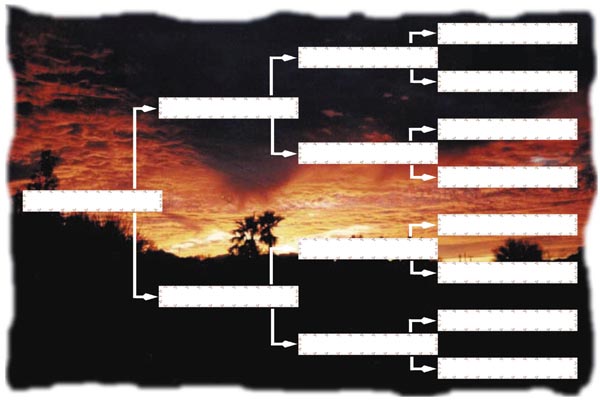
Sunset in Quartzsite AZ. Made for 4x6 prints. Higher quality http://quartzsite.gen.googlepages.com/freestuff
Wednesday, March 22, 2006
Using Your Local Library Resources
I'm afraid La Paz County Library doesn't have much for online genealogy research, just a few books. Maybe if enough people make a request they will try & get more. But a lot of people here are snowbirds & will have more at their summer home.
The 3 I am most familiar with are:
- Ancestry Library Edition – Is usually an in library service, which is a little tough when time is limited on a Library computer. But has most of the same records that are offered on Ancestry.com.
- HeritageQuest Online – Can quite often be accessed at home through your library website. It has the 1860-1920 censuses & many state, county & family histories.
- NewsBank – Nice for resent obituaries. Has most of the major newspaper in the US.
Dennis
Tip with HeritageQuest: Searching through state, county & family histories. Click Books > Publications > Search Publications. On Subject click Browse enter Surname or County & click Jump. Select what you want & click OK. Then in the keywords I enter the opposite, County or Surname ie. Subect-Rockingham County VA. Keyword-Smith. That will get me all the Smiths in Rockingham Co. For a complete listing of places that offer HeritageQuest see http://www.eogen.com/HeritageQuestOnline it is always being updated.
Tuesday, March 21, 2006
Using Search Engines To Look For Genealogy
Search Engines are very good way to find information & long lost relatives, but getting thousands of hits is a very useless. There are a few tips to remember when phrasing your search, but remember not all search engines support these tip.
Search engine tips:
+ (and, not always necessary)
- (not)
"****" (phrase, can cause problems by missing some sites but helps narrow down the search). Be as exact or vague as you want.
* (wildcard, if you don't know the complete date. Example: 187*)
Example:
Cemetery; "doe, john" +birth year +death year +state +town
Regular search; "john doe" +birth year +death date +state
Favorite Muti Search Engines:
Why limit yourself to just 1 search engine when you can search several at the same time?
http://vivisimo.com/ (clusters results that make it easier narrow your search & in Advance Search you can chooses which search engines you want to use. I usually turn off "ASK" because it doesn't support phrases)
http://dogpile.com/ (another Muti Search Engines)
Finding Someone In A Large Document:
There is a "Hot Key" (shortcut) that will search a webpage for a word. Press & hold "CTRL" then press "F" after the page loads. Then type the word you want, then click "Find Next", it will take you to where it appears on the page.
Links:
Googling Genealogy Style
http://genealogy.about.com/library/weekly/aa052902a.htm
Monday, March 20, 2006
Digitizing Your Old Photo & Documents On A Shoe String Budget (Updated)
2 of my favorite file format for pictures & documents are JPG & PDF. But many people prefer TIF, TIFs are uncompressed which mean very large files.
If you can't tell I like free or cheap programs. I will go into more programs later but the 2 free ones I use the most are CutePDF http://www.cutepdf.com/ to make PDF files (works like a printer driver "If you can print it you can make a PDF file". Requires installing the program & converter, both avalible on the free download page). And there is Picasa from Google http://picasa.google.com/, not very powerful but has some very nice features for a free program. The one I like the best is when editing it doesn't affect your original file.
When Picasa is combined with CutePDF you can make multi page PDF files, which is very nice for your genealogy documents. One problem I have run into is sometimes it rotates the documents, but rotating the pictures before printing will take care of that problem. Highlight the images you want, click file>print then change the printer to CutePDF then click Print. I like to go into Properties/Preferences and make sure it is the DPI & color I want.
A few things you need to know when scanning or taking digital photos: DPI (dots per square inch), imagine graft paper and each square is a pixel (dot), it is given 1 color. The higher the DPI the better the picture will look, but the larger the file. Then Quality/Compression, the higher number the less compression & the better the picture will look. And finally Grayscale verses Color, color is millions of colors & grayscale I believe is 250 shades of gray which makes a smaller file. If a picture is black & white I will use grayscale unless the picture has started to change colors with age, I like that pinkish or yellowed effect. Remember when emailing a picture you could be sending that person a VERY large file if you don't take these in to account. Nice thing about Picasa it will resize the photo for emailing without hurting the original.
Here is my minimal rule of thumb for Scanning:
Printer friendly for Email & Web
· I like a 600 Horizontal Pixel Width for Photos
8.5x11 scanned documents
· 72 DPI - 600x776 Pixel Width
8.5x11 scanned documents:
· 200 DPI - 1700x2200 Pixel Width
Scanning Photos (think pixel width when you want to enlarge a picture):
4x6 photo
· 300 DPI - 1200x1800 Pixel Width 5x7 photo
· 300 DPI - 1500x2100 Pixel Width 8x10 photo
· 300 DPI - 2400x3000 Pixel Width
My minimal rule of thumb for Quality/Compression for the Web & Emailing pictures are 3-4, 5 & up for Archiving.
When scanning I like to crop or select a larger area than just the picture. Say you have a 3x3 picture but the store can only do 4x6 prints, well you will have crop some of the your picture to get it fit in that 4x6 area. Another option is some programs will let you change canvas size without changing the actual size of the picture, I have found IrfranView at http://www.irfanview.com/ will work for this & it is free. It is easier to trim a print than chose what you want lose to make a print.
Even though you have archived your pictures & documents electronically, back it up in print!!! Formats & programs always change. Try and use an acid free paper & there are a lot of stores out there that do digital prints from CDs & memory chips. I prefer my photos on glossy paper, it can be scanned better next time. When making prints in a store edit each picture so you crop & edit each picture just the way you want it. After you make prints, store your originals in a safe place & only handle the copies. I do not like these photo printers that you can hook up to your computer, if your print gets wet or damp you can kiss your picture goodbye.
Scanners are always coming down, so all you need to know is what is compatible with your computer. I picked up one that also does slides & negatives for under $150, but you have to have a USB port (universal serial bus) on your computer, and it was a little hard to figure out how to change the DPI defaults for the photos & negatives.
That was a lot of work when you first start out, but now you can burn a CD of your work & share it with your family & friends for just a few bucks. And hey, if you have a computer failure you can always ask for the CD back ;-)
A few links you might want to check out:
Preserving Family Heritage
http://byubroadcasting.org/questionsandancestors/episodes.asp
A few scanning tips
http://www.scantips.com/
Scanning Experiments
http://www.abstractconcreteworks.com/essays/scanning/scanning.html
If you can't tell I like free or cheap programs. I will go into more programs later but the 2 free ones I use the most are CutePDF http://www.cutepdf.com/ to make PDF files (works like a printer driver "If you can print it you can make a PDF file". Requires installing the program & converter, both avalible on the free download page). And there is Picasa from Google http://picasa.google.com/, not very powerful but has some very nice features for a free program. The one I like the best is when editing it doesn't affect your original file.
When Picasa is combined with CutePDF you can make multi page PDF files, which is very nice for your genealogy documents. One problem I have run into is sometimes it rotates the documents, but rotating the pictures before printing will take care of that problem. Highlight the images you want, click file>print then change the printer to CutePDF then click Print. I like to go into Properties/Preferences and make sure it is the DPI & color I want.
A few things you need to know when scanning or taking digital photos: DPI (dots per square inch), imagine graft paper and each square is a pixel (dot), it is given 1 color. The higher the DPI the better the picture will look, but the larger the file. Then Quality/Compression, the higher number the less compression & the better the picture will look. And finally Grayscale verses Color, color is millions of colors & grayscale I believe is 250 shades of gray which makes a smaller file. If a picture is black & white I will use grayscale unless the picture has started to change colors with age, I like that pinkish or yellowed effect. Remember when emailing a picture you could be sending that person a VERY large file if you don't take these in to account. Nice thing about Picasa it will resize the photo for emailing without hurting the original.
Here is my minimal rule of thumb for Scanning:
Printer friendly for Email & Web
· I like a 600 Horizontal Pixel Width for Photos
8.5x11 scanned documents
· 72 DPI - 600x776 Pixel Width
8.5x11 scanned documents:
· 200 DPI - 1700x2200 Pixel Width
Scanning Photos (think pixel width when you want to enlarge a picture):
4x6 photo
· 300 DPI - 1200x1800 Pixel Width 5x7 photo
· 300 DPI - 1500x2100 Pixel Width 8x10 photo
· 300 DPI - 2400x3000 Pixel Width
My minimal rule of thumb for Quality/Compression for the Web & Emailing pictures are 3-4, 5 & up for Archiving.
When scanning I like to crop or select a larger area than just the picture. Say you have a 3x3 picture but the store can only do 4x6 prints, well you will have crop some of the your picture to get it fit in that 4x6 area. Another option is some programs will let you change canvas size without changing the actual size of the picture, I have found IrfranView at http://www.irfanview.com/ will work for this & it is free. It is easier to trim a print than chose what you want lose to make a print.
Even though you have archived your pictures & documents electronically, back it up in print!!! Formats & programs always change. Try and use an acid free paper & there are a lot of stores out there that do digital prints from CDs & memory chips. I prefer my photos on glossy paper, it can be scanned better next time. When making prints in a store edit each picture so you crop & edit each picture just the way you want it. After you make prints, store your originals in a safe place & only handle the copies. I do not like these photo printers that you can hook up to your computer, if your print gets wet or damp you can kiss your picture goodbye.
Scanners are always coming down, so all you need to know is what is compatible with your computer. I picked up one that also does slides & negatives for under $150, but you have to have a USB port (universal serial bus) on your computer, and it was a little hard to figure out how to change the DPI defaults for the photos & negatives.
That was a lot of work when you first start out, but now you can burn a CD of your work & share it with your family & friends for just a few bucks. And hey, if you have a computer failure you can always ask for the CD back ;-)
A few links you might want to check out:
Preserving Family Heritage
http://byubroadcasting.org/questionsandancestors/episodes.asp
A few scanning tips
http://www.scantips.com/
Scanning Experiments
http://www.abstractconcreteworks.com/essays/scanning/scanning.html
Subscribe to:
Posts (Atom)
